
Quick Observations on Snowflake
With the rapid rise of LLMs, specialized cloud database platforms are popping up in data job descriptions. And Snowflake is easily the one appearing most frequently.
Some say it's just another SQL-based database, but traditional experience with Oracle or PostgreSQL often isn't enough to satisfy interviewers when they ask "Do you know Snowflake?"
Let's demystify what Snowflake actually is.
According to Snowflake, here is what their platform brings to the table:
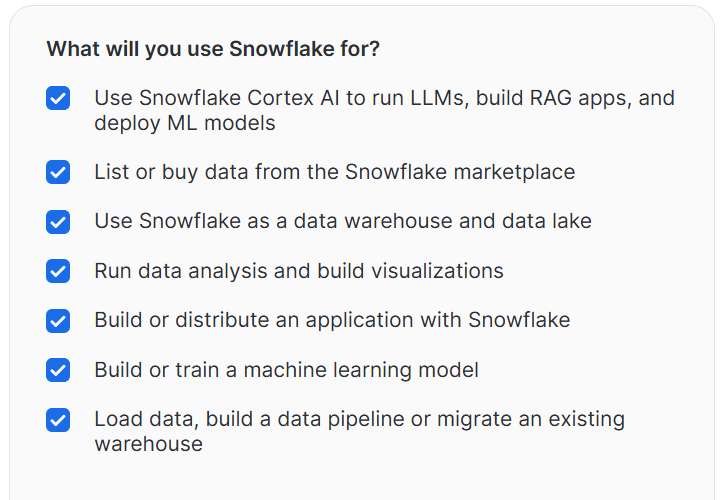
It's clear that this database is primarily focused on analytics while aligning perfectly with the current LLM trend.
You can sign up for a free trial without a credit card. Snowflake provides $400 in free credits to practice with, this deal similar to major cloud providers like AWS or Azure.
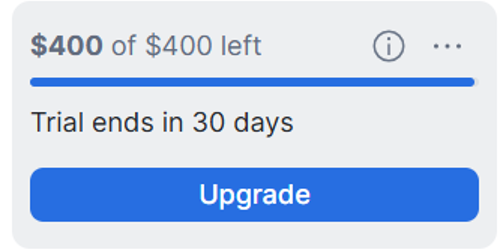
They also provide several sample templates and datasets to help you get hands-on experience.
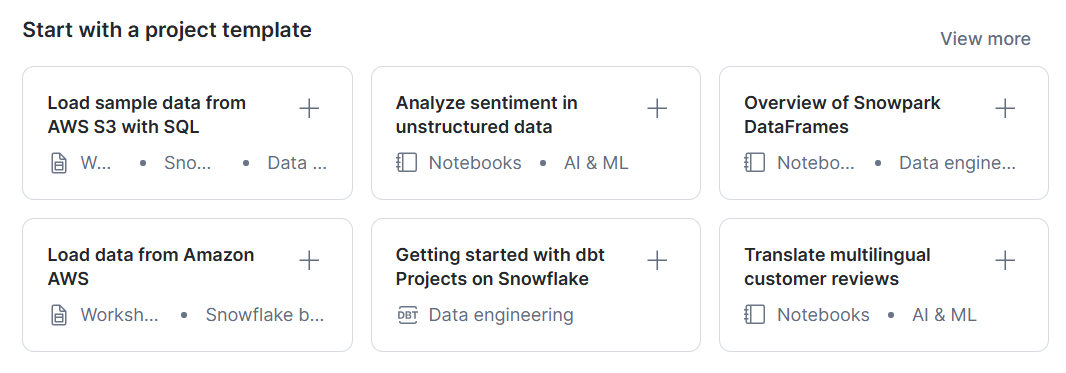
For each use case, they provide ready-to-run SQL scripts with clear comments. You can easily follow along by executing the statements one by one.
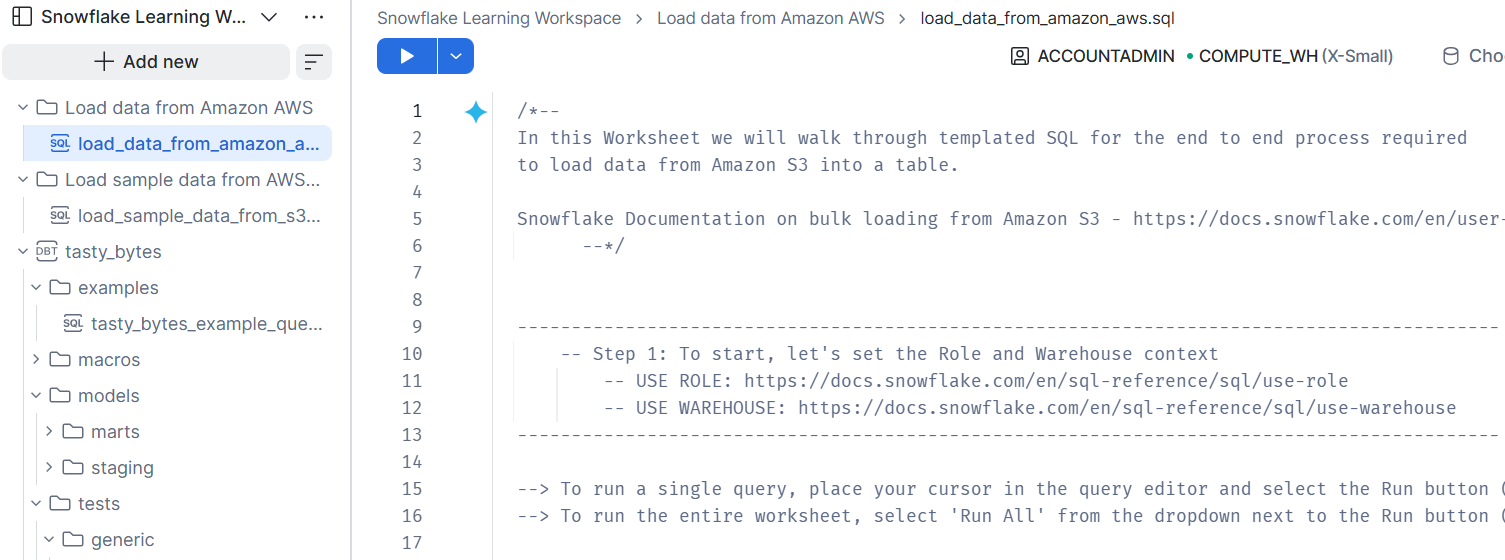
Let’s walk through a few key terms
1- Key Objects.
Below is the structural hierarchy of key objects in Snowflake:
ORGANIZATION {Top management / Cross-account billing}
 └── ACCOUNT {Distinct environment per user}
      ├── USER {Service identity} ─--------────► (Assigned to)
      ├── ROLE {Access control & permissions manager} ◄────┘
      ├── WAREHOUSE {Compute engine for queries}
      └── DATABASE {Main data container}
           └── SCHEMA {Logical folder}
                ├── TABLES
                ├── VIEWS
                ├── STAGES {File staging for data loading}
                ├── FILE FORMATS {rules for CSV, JSON, XML,.}
                ├── STREAMS {Change Data Capture / CDC tracking}
                ├── TASKS {Scheduled job automation}
                ├── PIPES {data ingestion via Snowpipe}
                └── FUNCTIONS / PROCEDURES
                ├── ..more..
Official documentation: https://docs.snowflake.com/en/sql-reference/sql/use
Much like MS SQL Server, you can use the USE statement to switch contexts between different objects during a session. For example:
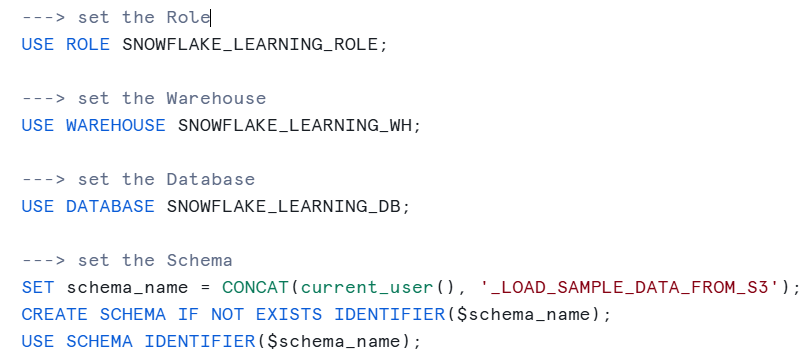
Let’s walk through some Snowflake-specific terms:
** STAGE :
A Stage is a storage location used to hold data files (such as CSV, JSON, or Parquet) before loading them into or exporting them from Snowflake tables.
For example, you can create an internal stage named my_internal_stage
CREATE OR REPLACE STAGE my_internal_stage
  FILE_FORMAT=(FORMAT_NAME='my_csv_parsed_by_rule_1');
Some STAGE operations in action using the popular COPY INTO command:
-- PUT physical file into in stage (use path @my_internal_stage)
PUT file:///C:/path/SaleOrderData.csv.gz @my_internal_stage/ OVERWRITE=TRUE;
-- Then use COPY INTO to transfer data to destination table
COPY INTO my_schema.raw_table FROM @my_internal_stage
   FILE_FORMAT=(FORMAT_NAME='my_csv_parsed_by_rule_1');
** FILE_FORMAT : ↑
You need to let Snowflake know how to parse your raw files, whether they are CSV, JSON, Parquet,..
This is especially handy when dealing with files provided by other teams across your organization.
** STREAM:
A Stream is a change-data-capture (CDC) object that tracks row-level changes. Including inserts, update, and delete which made to a source table.
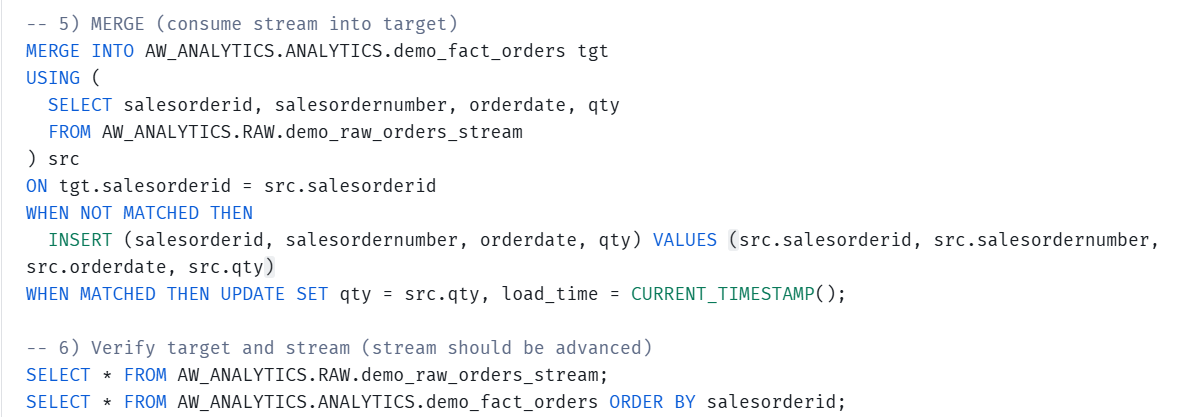
Here’s a quick reminder of basic CDC stream flow:Pick source table --> Create stream on that table --> create TASK to auto-run when stream has data.
After setting these up using SQL statements in Snowflake.
I tried executing an invalid INSERT command (e.g., setting a primary key to NULL), the task execution generates execution logs in TASK_HISTORY table as shown after selecting below. Then you can see full details of the failed rows.
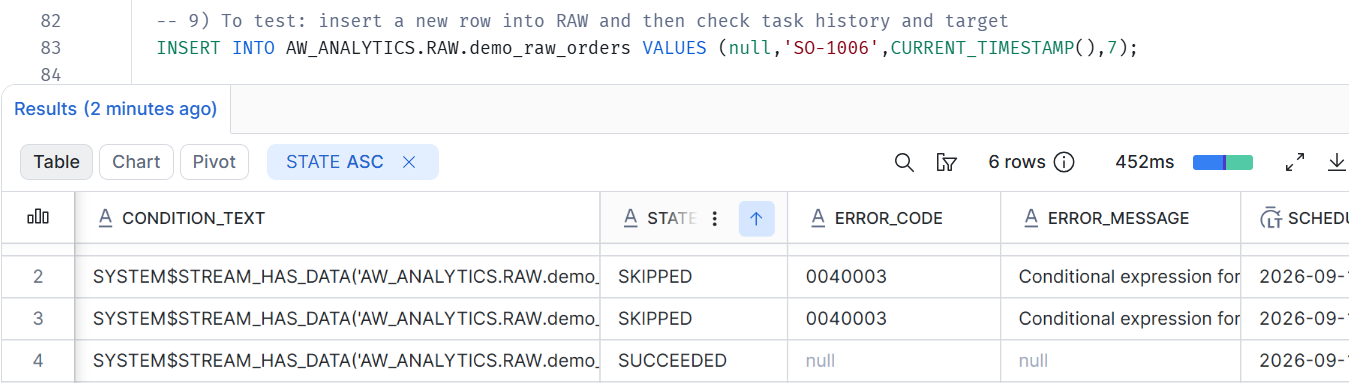
Stream can be a convenient way to pass data monitoring between layers and track bad data.
** PIPE:
Acts as a serverless service for moving data.
Allow auto-ingestion upon new file arrival, for example:
-- Wraps COPY INTO inside a PIPE to run in the background (Serverless)
CREATE OR REPLACE PIPE user_log_pipe
  AUTO_INGEST = TRUE
AS
  COPY INTO user_logs
  FROM @s3_log_stage;
Without Pipe, here is how other data ingestion methods compare:
Approach | Requires Virtual Warehouse? | Data Ingestion Mechanism | Best Fit & Trade-off |
PIPE | No (Serverless) | Near Real-Time | Priority = Speed |
| Yes | Scheduled Batch | Limited budget & Keep it simple. |
| Yes | Event-Driven / Pipeline Triggered | Complex architecture & Multiple sources. Willing to handle operational effort. |
2- Execution Environments
Here are the different environments where you can run Snowflake SQL
***Snowflake Web UI (WorkSpace):
How it works: Directly in your browser.
Best for: Fast ad-hoc queries, quick data exploration, and built-in dashboards.
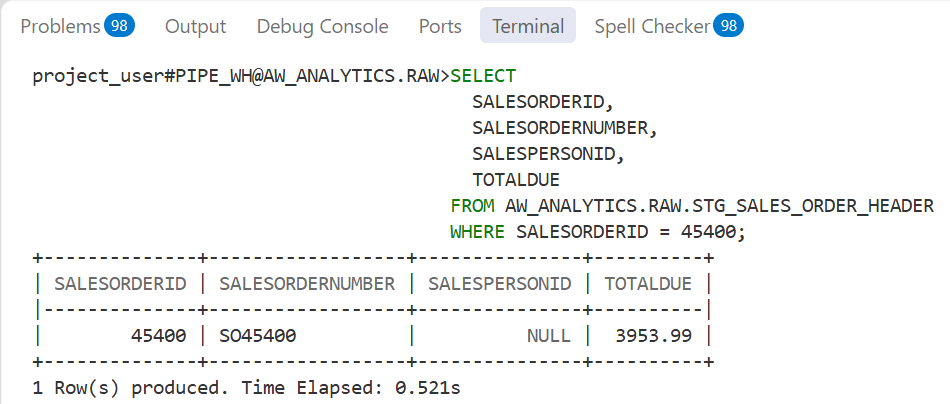
**SnowSQL (CLI):
How it works: Terminal / Command-line interface.
Best for: Developers who prefer doing things their own way in a local environment.
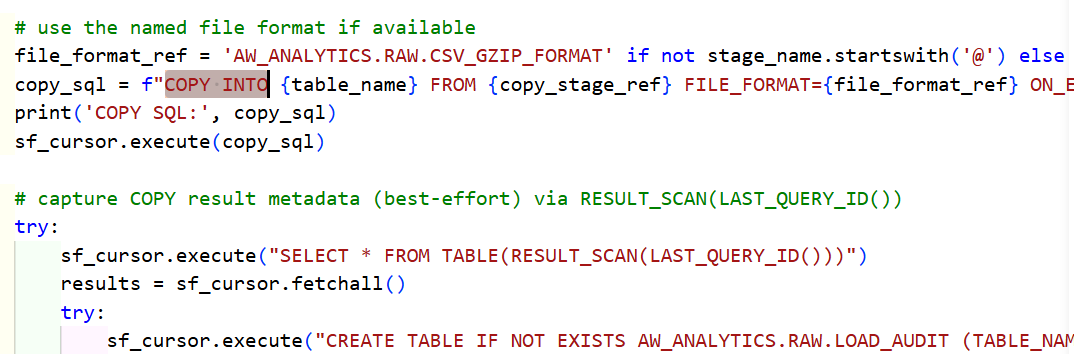
**Python Code (Connector/Snowpark) or Other Language:
How it works: Concatenates SQL strings and executes them via DB cursors.
Best for: Flexible ETL development, seamlessly connecting to databases, APIs, or various external data inputs.
Quick Example:
**Third-Party Tools (Airflow, dbt, Power BI, DBeaver):
How it works: External connections via JDBC/ODBC drivers or REST API.
Best for: Enterprise data pipelines, data modeling, and BI reporting.
Best Practice:
https://www.snowflake.com/en/developers/guides/end-to-end-analytics-with-snowflake-and-power-bi/
3- Comparison with Big RDBMS (Oracle / Postgres):
**Semi-Structured Data Processing:
+ Oracle / Postgres: Requires dedicated JSON functions or special operators (JSON_VALUE in Oracle, ->> / jsonb in Postgres) to parse nested fields.
+ Snowflake: Treats JSON as a first-class citizen using the native VARIANT type, allowing direct dot-and-colon path querying in standard SQL.
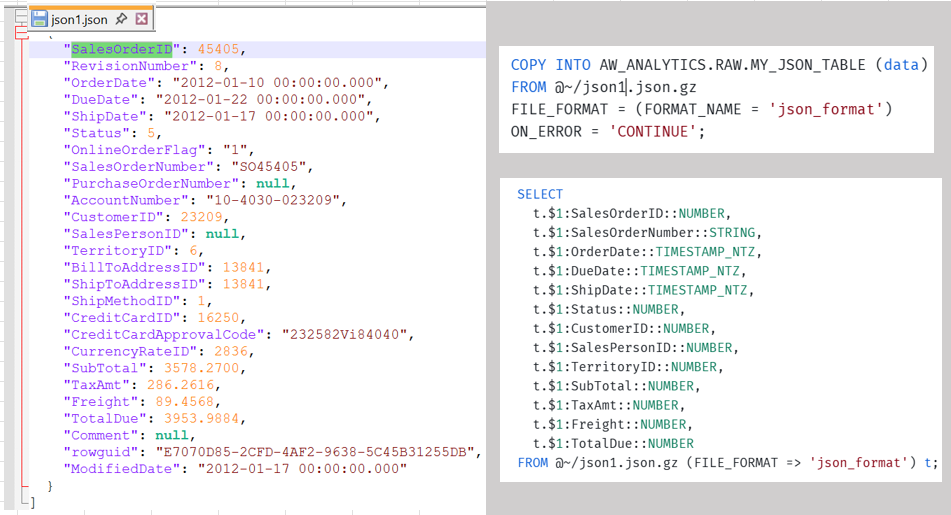
Memory Efficiency in JSON Parsing:
Suppose we want to query the "age" attribute from this json line:
{ "name": "John", "age": 18, "city": "Konoha" }.
+ Oracle/Postgres: Read full JSON document from disk -> Parse binary structure into memory --> Extract "age" value --> Discard "name" and "city".
This way will waste Disk I/O and RAM by loading and parsing unneeded JSON keys into memory.
+ Snowflake: Skip "name" on disk --> Read "age" directly -> Skip "city" on disk. More data skipped, more memory saved.
** Cleaner Analytical Queries
When working in data, a huge part of the job is running analytical queries with SUM, COUNT, SELECT, and GROUP BY.
+ Oracle / Postgres: Requires wrapping window functions (e.g., ROW_NUMBER()) inside nested subqueries or CTEs to apply filters.
SELECT customer_id, amount
FROM (
    SELECT customer_id, amount,
           ROW_NUMBER() OVER (PARTITION BY customer_id ORDER BY order_date DESC) AS rn
    FROM sales
)
WHERE rn = 1;
+ Snowflake: Features the native QUALIFY clause, enabling direct filtering on window functions in a single statement without subqueries. Making queries much shorter, and easier to read.
SELECT customer_id, amount FROM sales
QUALIFY ROW_NUMBER() OVER (PARTITION BY customer_id ORDER BY order_date DESC) = 1;
** Procedural & Extension Logic:
+ Oracle / Postgres: Relies heavily on database-specific procedural languages, focused on strict transaction boundaries and cursor control.
+ Snowflake: Focuses on developer polyglot extensibility, allowing native Python, JavaScript, or Java code execution inside SQL workflows. It help provide full programmatic control that reduce manual code steps compared to standard SQL procedures.
Procedure write in JavaScript example:
CREATE OR REPLACE PROCEDURE AW_ANALYTICS.RAW.MERGE_FACT_SALES_PROC()
RETURNS STRING
LANGUAGE JAVASCRIPT
EXECUTE AS OWNER
AS
$$
try {
  var sqlCmd = `
    MERGE INTO AW_ANALYTICS.ANALYTICS.FACT_SALES tgt
    USING (
      SELECT *
      FROM AW_ANALYTICS.RAW.STG_SALES_ORDER_HEADER h
      JOIN AW_ANALYTICS.RAW.STG_SALES_ORDER_DETAIL d ON h.SALESORDERID = d.SALESORDERID
      QUALIFY ROW_NUMBER() OVER (PARTITION BY h.SALESORDERNUMBER, d.SALESORDERDETAILID ORDER BY COALESCE(h.ORDERDATE,CURRENT_TIMESTAMP()) DESC, d.LINETOTAL DESC) = 1
    ) src
    ON tgt.ORDER_NUMBER = src.ORDER_NUMBER AND tgt.ORDER_LINE_NUMBER = src.ORDER_LINE_NUMBER
    WHEN NOT MATCHED THEN
      INSERT (ORDER_NUMBER, ORDER_LINE_NUMBER)
      VALUES (src.ORDER_NUMBER, src.ORDER_LINE_NUMBER)
    WHEN MATCHED THEN
      UPDATE SET ORDER_DATE_KEY = src.ORDER_DATE_KEY,
                 CUSTOMER_KEY = src.CUSTOMER_KEY;
  `;
  var stmt = snowflake.createStatement({sqlText: sqlCmd});
  var res = stmt.execute();
  return 'MERGE_OK';
} catch (err) {
  return 'MERGE_ERROR: ' + err;
}
$$;
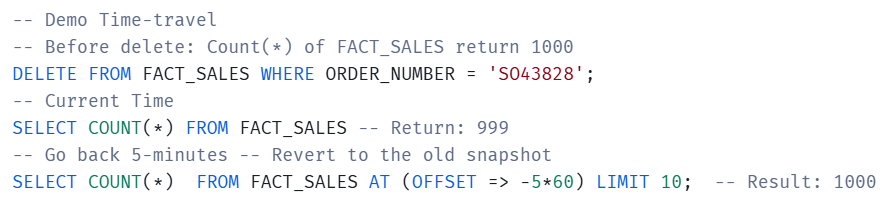
** Historical Data Querying
+ Oracle / Postgres: Depends on undo logs (Flashback in Oracle) or temporal table extensions/WAL archiving (in Postgres).
It requires high-level DBA permissions and complex system-level operations.
Limited strictly by server disk capacity and WAL retention policies (typically hours to a few days for PITR - Point-In-Time Recovery).
+ Snowflake: Provides out-of-the-box Time Travel syntax (AT / BEFORE) directly in standard SELECT queries, powered by Snowflake's immutable micro-partition storage, no high-level approvals or DBA intervention needed. Configurable from 0 to 90 days (1 day max on Standard, up to 90 days on Enterprise) per table or schema. It's money problem.
4- Additional Notes.
- Role Awareness
Developers need to pay close attention to active roles in Snowflake. Often, queries return no data or throw permission errors simply because the session is not using the correct role with the required privileges.

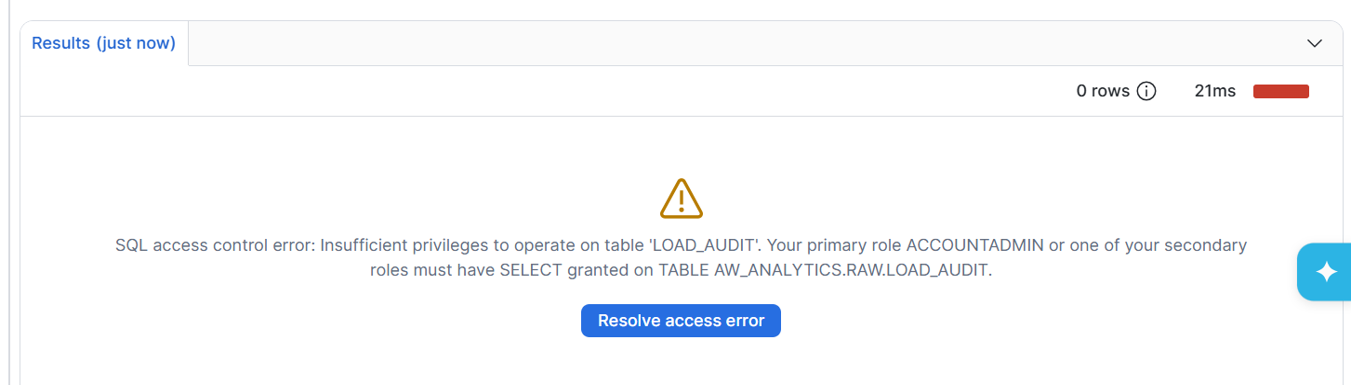

This SELECT query should be executed routinely to check results. Because role switching via the USE command is so effortless, context mix-ups happen often, causing outputs to differ. Just one mistake, a lot of regrets!
- Issue Detection
There is no magic tool in data engineering. Most issues come straight from the ETL logic, and when things break, we end up fighting a mountain of text. In ETL development, SQL queries are often scattered across different components that meaning any one of them could be a hidden bottleneck, making issue tracing far more difficult.
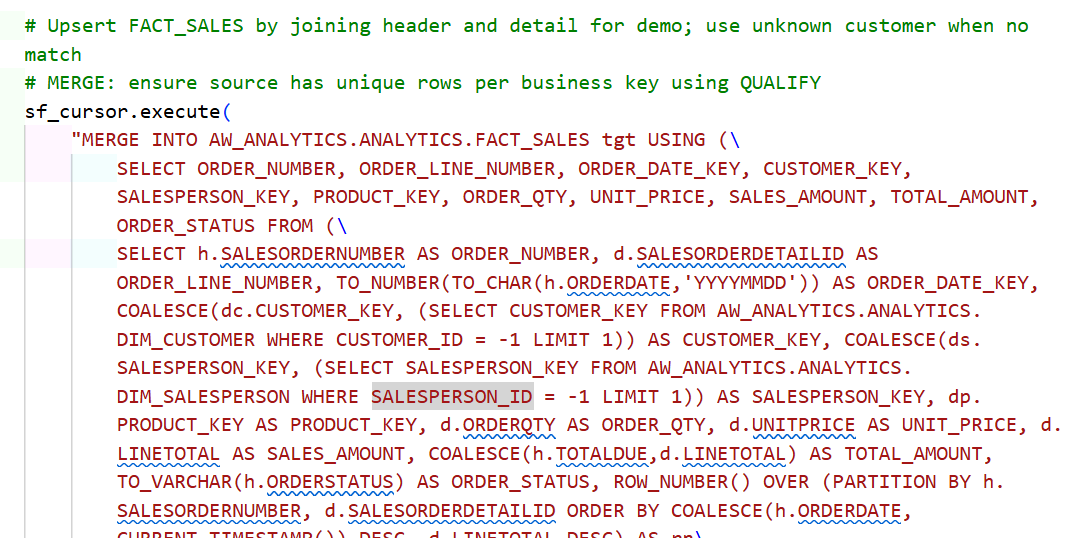
- Don't trust AI
Sometimes the fault comes from itself.
I almost burned over 100 credits using it to fix dozens of its own syntax errors again and again.
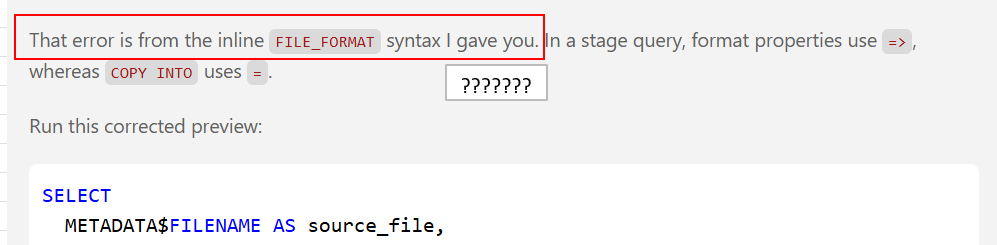
That’s the cost of skipping the official docs and letting AI assume whatever it wants.
What a total waste. 💸 Too painful to watch.